Writing a book in Markdown
A book is too long for one file, and too much work to keep in a format only one app can open. Write it as a folder of Markdown files, a chapter each. Grasmere is a Mac app that puts them back together as a manuscript when you need one.
A folder of chapters
Give each chapter a file of its own, and each part a folder. A book then looks like this on disk, and you can read it there without any app at all.
The Winter Ferry/
  project.md
  chapters/
    The Last Crossing.md
    Low Water.md
    The Seed Tin.md
    The Shop Window.md
  research/
    Lakeland Ferries.md
    Ferry Timetable.md
A chapter’s first heading is its title. Drag chapters in the contents to put them in order, and the order is kept in the folder as plain Markdown. Small files are quick to open and easy to move, and a bad afternoon’s edits only ever touch one of them.
A line about each chapter
A couple of lines at the top of a chapter say what happens in it and how far along it is.
---
synopsis: Margaret takes the last ferry of the year.
status: Draft
---
Grasmere shows these on the Review stage, where each chapter is an index card with its title, synopsis, word count and status. Drag the cards to try another order. A status is one of Unwritten, Draft, Revised or Final.
Getting the words down
The page is plain Markdown in careful type, with the marks kept faint. Focus mode takes everything else away and fades all but the paragraph you’re writing. Footnotes are written as [^1]. Link one document to another, a chapter to a character’s notes say, and the link still works after you rename either.
If you’re writing to a length, give the book a word target and a date. The bar beneath the page says how far you’ve got, what you’ve written today, and roughly how many words a day would get you there.
Send chapters to your editor in Word
Editors and early readers work in Word. Send a chapter, or the whole book, as a Word file. When it comes back, their tracked changes and comments appear beside your text, each in its own chapter, to accept or reject one at a time. It works even if you carried on writing while they read. See Markdown to Word, and back again.
The whole book, as a manuscript or a typeset PDF
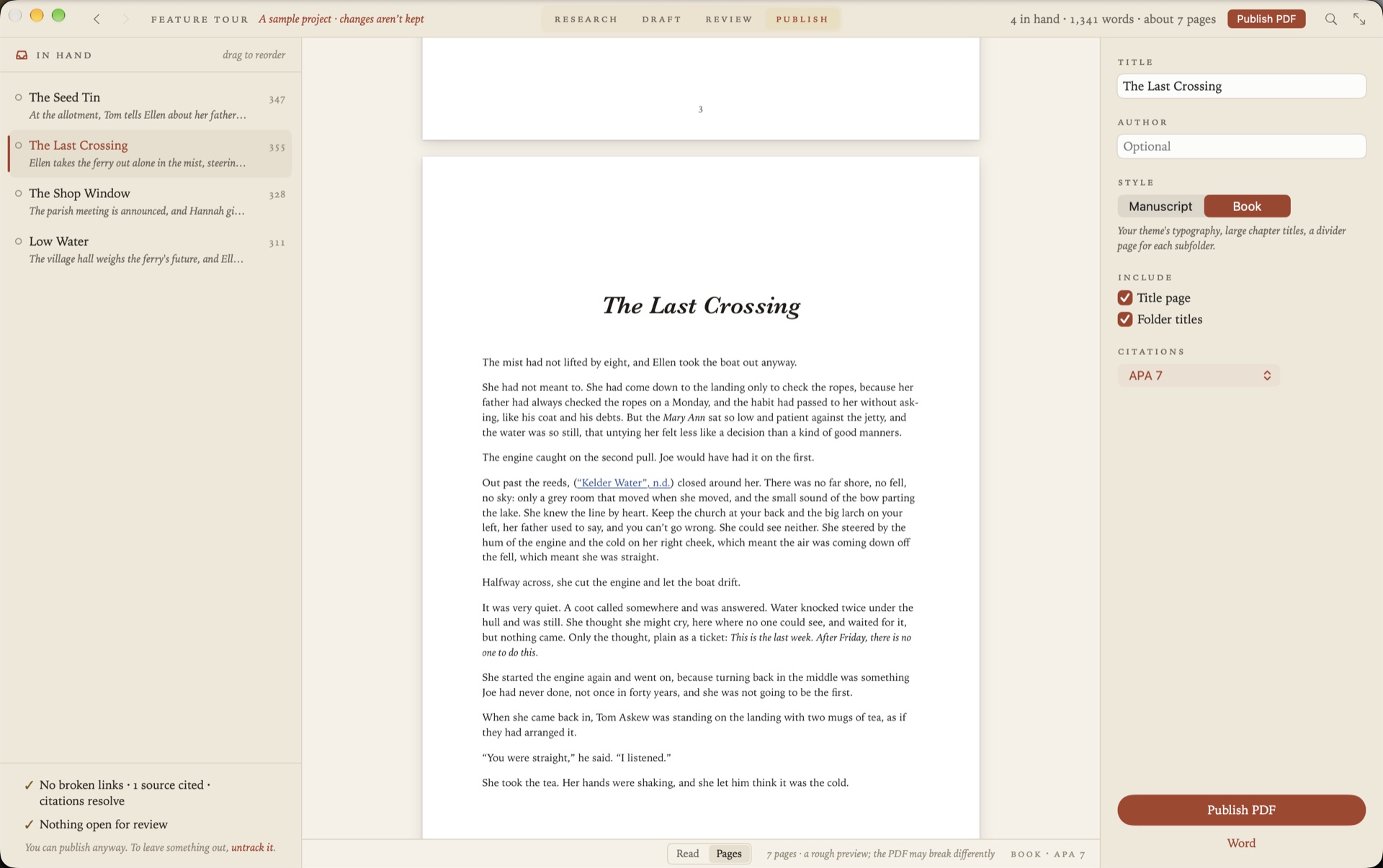
Right-click the chapters folder and choose Publish to PDF. The Publish stage shows the running order on the left and the book read straight through beside it, with a count like “4 in hand · 1,344 words · about 6 pages”. Then choose a style.
- Manuscript is standard manuscript format, as agents and publishers ask for. Double-spaced 12 pt Times, one-inch margins, a title page with the word count, and your name, the title and the page number at the top of each page.
- Book uses your theme’s typography, with large chapter titles, a divider page for each part, a contents page with page numbers, and footnotes at the foot of the page.
Word, beneath Publish PDF, writes the same book as one Word document. You can also build the project as a website.
For non-fiction: sources and citations
Keep the books, papers and web pages you’re drawing on in the project’s research folder. Type [@ to cite one. When you publish, citations are written in APA, Harvard, Chicago or MLA, and the references follow the last chapter. See Citations and bibliographies in Markdown.
If your book is in Scrivener
New in 1.5. File ▸ Import Scrivener Project makes a Grasmere project from a Scrivener one, with your folders and documents in the binder’s order as Markdown. The Scrivener project isn’t changed. See A Scrivener alternative in plain Markdown.
Questions
Can Markdown cope with a whole book?
Yes, because the book is never one file. Each chapter is a small document, and the manuscript is put together from them when you read it through or publish.
Can I make an ebook?
Not an EPUB. Grasmere publishes PDF, Word and a website. Many publishers and ebook services take a Word file.
How do I keep earlier versions?
Your book is a folder, so back it up like any other, with Time Machine or a sync service. If the folder is a git repository, Grasmere can commit your changes as you save and show a chapter’s earlier versions, with the difference marked word by word.
What if I stop using Grasmere?
You keep everything. The chapters are Markdown files in a folder you chose, and they open in any editor.
Start the book.
Open an empty folder, write a chapter, and see it as a manuscript. The trial is free for 14 days.
Download for macOS Free for 14 days, then $14.99 once · macOS 26+