Markdown to Word, and back again
Sooner or later someone asks for a Word file. Turning Markdown into Word is the easy half. The hard half is what to do when the file comes back covered in tracked changes and comments. Grasmere is a Mac app that does both halves.
Markdown to Word
With a document open, choose File ▸ Export ▸ Word Document, or press ⇧⌘E. Grasmere saves a .docx on A4 or Letter pages.
It’s a proper Word document. Headings use Word’s Heading 1, 2 and 3, so they fill the navigation pane and a table of contents. Lists, tables, quotations and code use Word’s own styles too, so changing the style set in Word restyles the whole document. Footnotes are real Word footnotes. Pictures and diagrams are embedded, and citations are written in your chosen style with a bibliography at the end.
A whole folder of chapters goes out as one Word document from the Publish stage, each chapter from a new page.
The problem with the way back
Other tools convert Markdown to Word well. Pandoc does it in a line.
pandoc chapter.md -o chapter.docxThen your editor returns chapter-JS-edits.docx with forty tracked changes and a dozen comments. Your choices are to retype each change into your Markdown by hand, or to convert the Word file back and lose your own formatting, links and whatever you’ve written since. Most people give up and finish the piece in Word.
The round trip
- Send. On the Review screen, choose Send ▸ Export as Word. The file is named for its round, such as “Low Water (Round 1).docx”. Send it however you like.
- They review. In Word, Pages or Google Docs, with comments and tracked changes as usual. They don’t need Grasmere, and there’s nothing for them to learn.
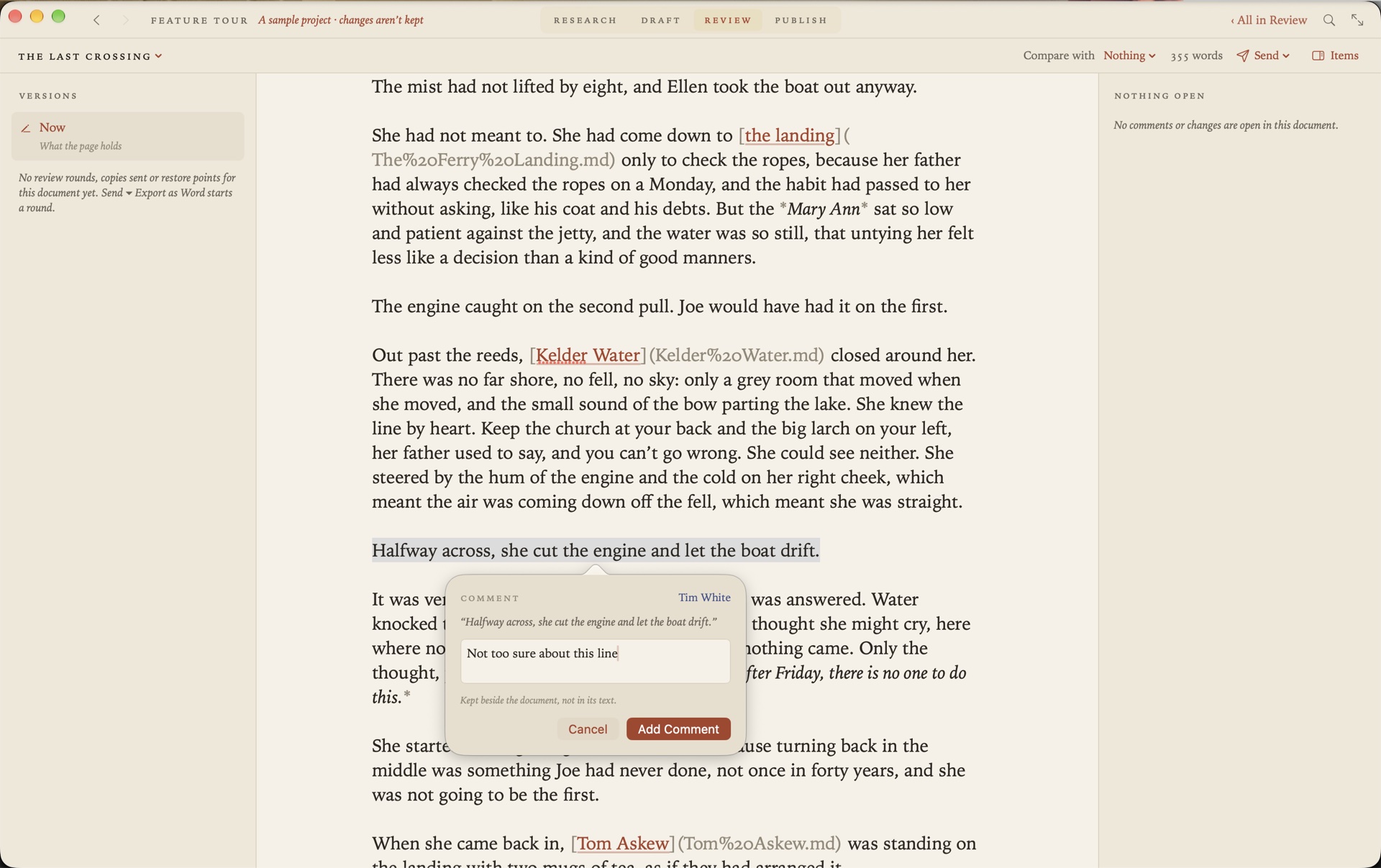
- Import. Drop the returned file onto Grasmere. Their changes are marked in your page, struck through and underlined in their colour, with their comments beside it.
Then you go through them. Accept, reject or defer each change where it sits, or all of one reviewer’s at once. Reply to a comment, or resolve it. Nothing goes into your Markdown until you say so.
Keep writing while it’s out
Grasmere keeps a copy of exactly what it sent, so it can tell what the reviewer changed even if you’ve carried on writing. A change accepted into a paragraph you’ve since rewritten goes into your new version. If you both changed the same words, you’re shown what you sent, what they suggested and what you have now, and you decide.
Round after round
Each sending and coming back is a round, and Grasmere keeps them all. For the next one, Export with My Changes Marked sends your edits since the last copy as tracked changes in your name, so your reviewer sees what you did with their suggestions. Replies carry on as threads in Word’s own comments.
Every round, copy sent and restore point is listed under Versions. Pick one and the page shows what’s changed since, word by word. Restore to Before the Review undoes a whole import.
A whole book at once
Send a folder of chapters as one Word file. When it returns, each comment and change goes to its own chapter, even for a passage you’ve since moved to another one. The chapter list shows how many items each still has open.
Questions
Does my reviewer need Grasmere, or a Mac?
No. They need something that opens a Word file.
Does it work with Google Docs?
Yes. They upload the file, comment and use Suggesting mode, then choose File ▸ Download ▸ Microsoft Word. Their suggestions come back as tracked changes. From Pages, they export to Word.
What if they forgot to turn on Track Changes?
Their edits are found anyway, by comparing what came back with what was sent. Changes that are only formatting are ignored.
Is anything added to my Markdown?
No. Comments, changes and rounds are kept in a review file beside the document, never in your text.
Can I convert one file and be done?
Yes. File ▸ Export ▸ Word Document saves a plain copy and starts no review.
Your reviewer uses Word. You stay in Markdown.
Send a chapter out and bring the changes back. The trial is free for 14 days.
Download for macOS Free for 14 days, then $14.99 once · macOS 26+